Your apps, across every cluster,
without thinking in ReplicaSets.
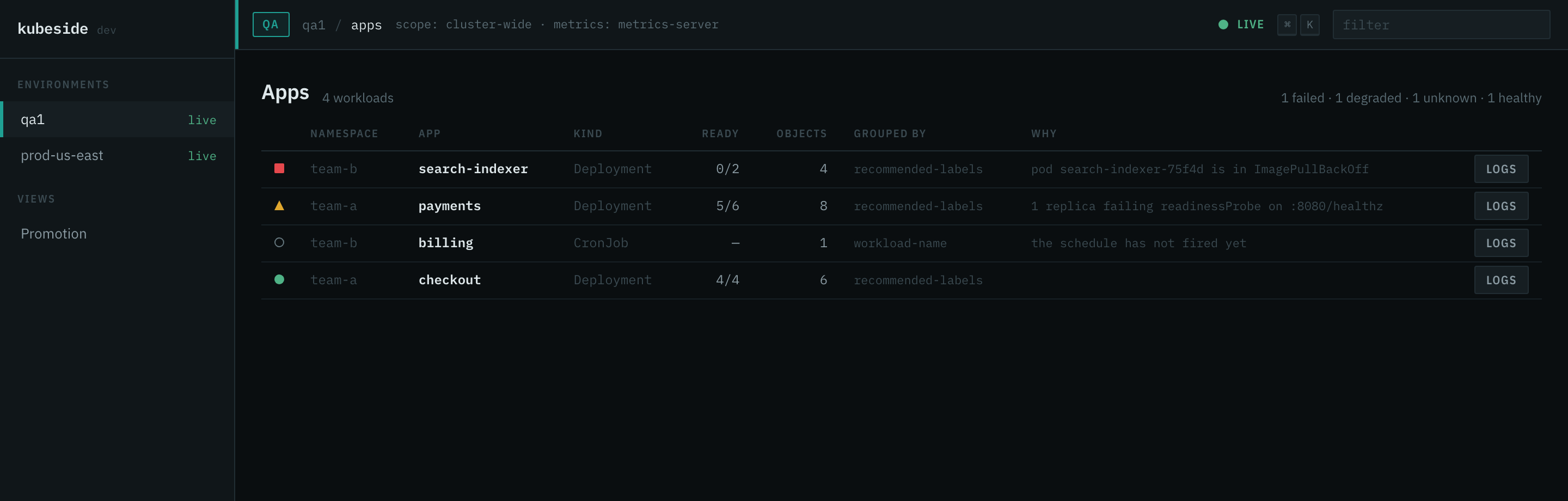
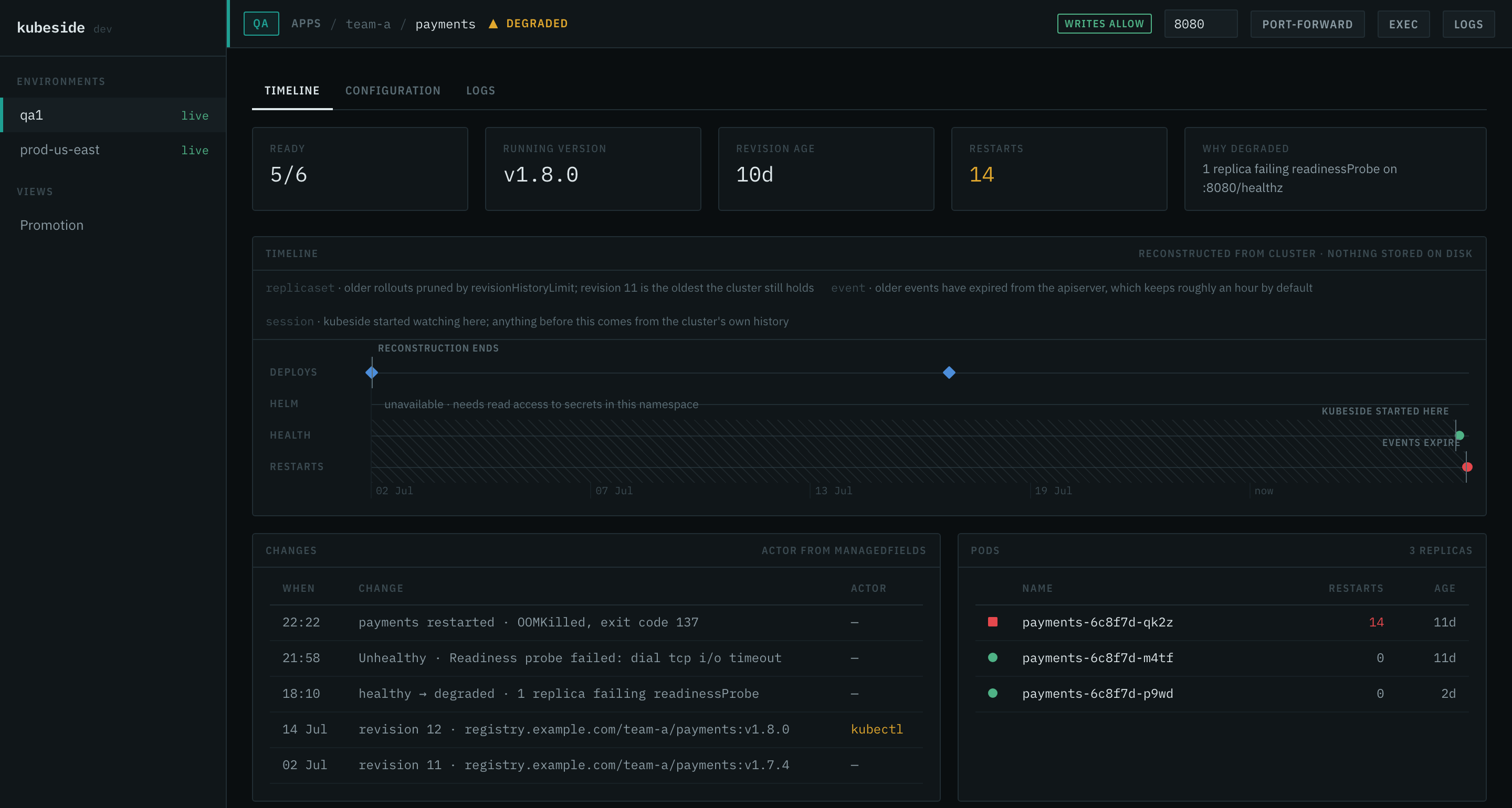
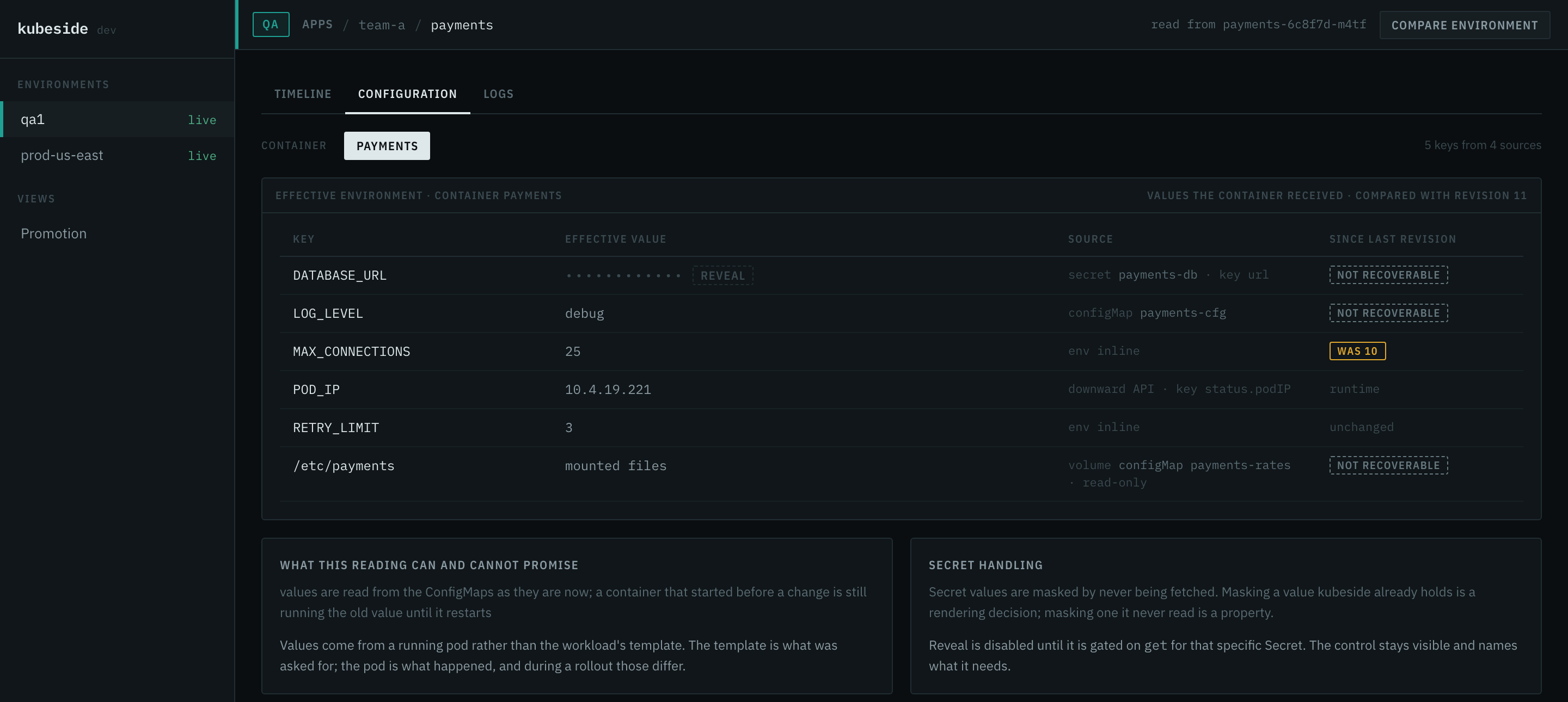
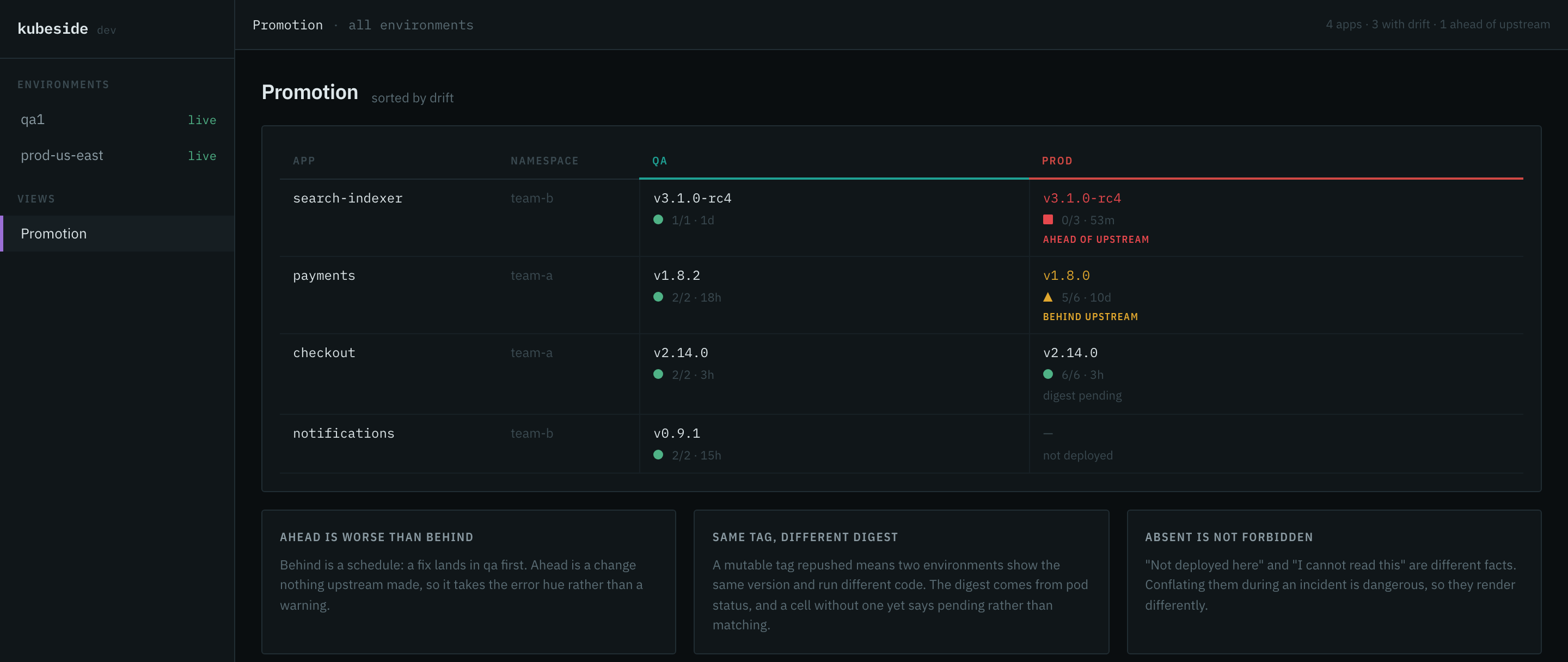
A Kubernetes client scoped to the developer who ships the app, not the operator who runs the cluster. One binary reads the kubeconfig you already have and answers four questions across qa, stg, and prod. It refuses to answer anything else.
brew install dynaum/tap/kubesidekubesidemacOS, Linux, Windows. No installer, no runtime, no setup step, no agent in
your cluster. If kubectl works, kubeside works.
Install guide →
The app list, the timeline, the resolved configuration, the promotion matrix, and the palette that reaches all of them.
The problem
Every Kubernetes UI mirrors the API tree: pick a resource kind, browse instances, pick a cluster from a switcher. That is the right shape for the person who runs the cluster. It is the wrong shape for the person who ships an app.
A developer thinks in services, not ReplicaSets. Their unit of work is one app across qa, stg, and prod, and their questions are historical more often than live: what changed, who changed it, what did the container actually get. Answering any of those today means three terminals, a tab per replica, and a guess.
So the dashboards end up as launchers for kubectl, and the four questions
stay unanswered. Not because they are hard, but because nobody built the screen for
them.
Nothing is written to disk
No database, no cache file, no history directory. The timeline is assembled from history Kubernetes already keeps and extended live while the process runs. Stop the server and nothing is left behind.
Absence of knowledge is not absence of a thing
An empty axis is never rendered as a quiet period. A horizon marks where kubeside's knowledge ends, a gap marks what it could not read, and a metric it could not take is reported as unavailable rather than as zero.
A control is never hidden for lack of permission
It is disabled, and it names the verb the cluster refused. The security boundary is the cluster's RBAC, checked with SelfSubjectAccessReview; the guardrails on top are ergonomics, and both answers travel together.
Credentials stay on your machine
The kubeconfig is read-only input. Exec credential plugins run natively, the browser never talks to an apiserver, and nothing is sent to a remote service.
What it will not do
No node view. No PersistentVolume browsing. No RBAC editor. No CRD browser. No Helm chart management. No cost reporting. No topology graph. No YAML editor beyond a read-only viewer. Each is a legitimate need belonging to somebody else's tool, and shipping any of them turns this into a general-purpose dashboard.
Documentation
Guide
Install it, run it, and use the four screens.
Install and run First run The app list Logs The timeline Resolved configuration Promotion and drift Port-forward, exec, guardrails Keyboard The config file Permissions When things are missing FleetDesign notes
The research and the decisions the product was built from.
The problem Personas Product spec Multi-cluster Architecture Roadmap