First run
There is no wizard, no login, and no cluster to register. kubeside reads the kubeconfig you already have.
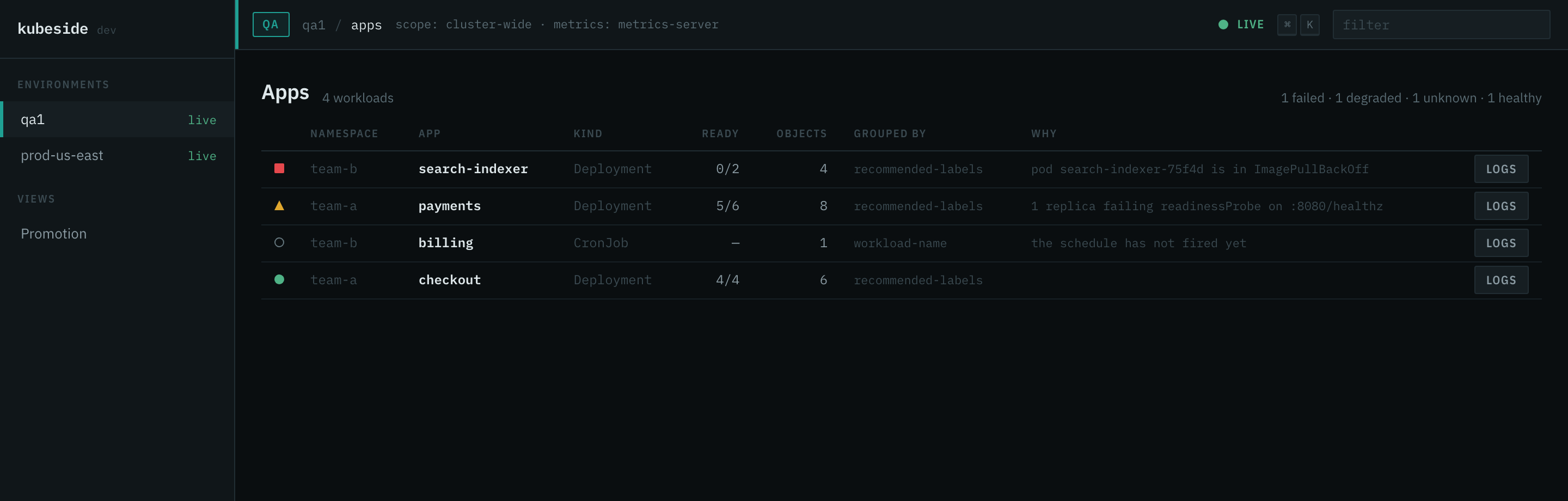
What happens on launch
- Every context in the kubeconfig chain is loaded, honouring
KUBECONFIG. - Each one is classified into an environment by name.
- The current context connects first. The others connect when you open them.
Exec credential plugins (aws eks get-token, gke-gcloud-auth-plugin, and the
rest) run as native child processes, the same way kubectl runs them. The
kubeconfig is read-only input: kubeside never edits it, never copies credentials
out of it, and never sends anything to a remote service.
Environments, inferred
An environment is a named group of contexts with a colour, a risk level, and a write policy. On a first run they are inferred from context names:
| Name contains | Environment | Risk | Writes |
|---|---|---|---|
prod, production, prd, live |
prod | high | denied |
stg, staging, stage, uat, preprod |
stg | medium | confirm |
qa, test, dev, develop, sandbox, sbx |
qa | low | allowed |
| anything else | unclassified | high | denied |
Production is checked before staging, so prod-staging-mirror reads as the more
dangerous of the two. Trailing digits are stripped, so qa1 classifies like
qa. A name nobody recognises inherits prod-strength guardrails rather than the
safest-sounding default.
Inference runs fresh on every launch and is never written anywhere. To make it yours, write a config file.
Scope
kubeside never issues a cluster-scoped list at startup for its own convenience. It tries to list namespaces; if your role refuses that, it falls back to the namespace your context names, and the header says which mode it ended up in:
scope: cluster-wide            you can list namespaces
scope: namespace team-a        you cannot, so this is the one from your context
A namespace-scoped role is a normal role, not a degraded one. What is never acceptable is rendering an empty cluster because a list was refused.
Connection states
Each context carries its own state, and one failing never affects another:
| State | Means |
|---|---|
live |
Connected, watching. |
connecting |
Handshake in progress. |
stale |
Was connected; the snapshot has an age, and the age is shown. |
unauthorized |
Your credential expired or was rejected. Re-authenticate. |
unreachable |
The API server could not be reached. VPN, DNS, or it is down. |
unauthorized and unreachable lead to different next actions, so they are
never collapsed into one generic failure.